 New from Specdigital · SpecFeeds
The whole feed mill on one system.
SpecFeeds runs an animal feed mill from the lorry on the weighbridge to the feed in the customer's bin. Raw material intake, recipe batching with an automatic mixer, finished product stock and outgoing loads, on shop-floor touch screens and in the office.
- Automatic mixer weighing, bin by bin
- Weighbridge intake and outgoing with signed tickets
- Every kilo traced from lorry to bin to customer
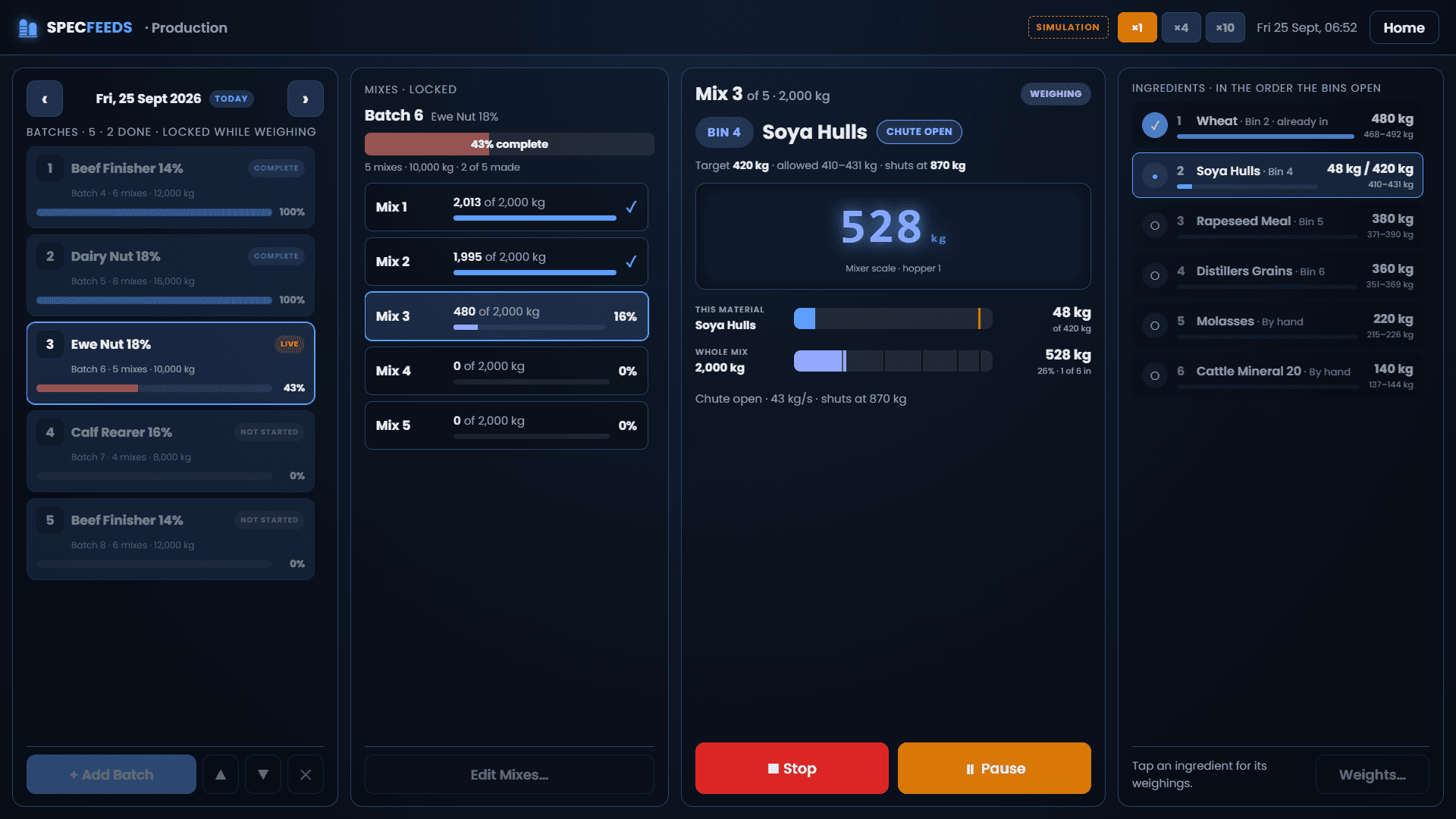
The production touch screen mid-mix: bin 4 open, the mixer scale climbing, the chute set to shut early by the material still in flight.
One record, from the lorry that brought the barley to the lorry that took the feed.
Every stage writes to the same database, so nothing is typed twice and every tonne can be traced back to the load it came in on.
- 01
Intake
The lorry weighs in loaded. Each raw material gets a batch number and is tipped off into its bins, weighed off one by one.
- 02
Plan
The day’s batches: a recipe, a target per mix and how many mixes. Reorder the plan with a tap.
- 03
Mix
Each bin’s chute opens in turn and shuts itself at target. Hand-added minerals wait for the operator.
- 04
Bin
Finished feed goes into product bins and totes, batch by batch, so every bin knows what it holds.
- 05
Dispatch
Customer orders are picked from the bins and loaded compartment by compartment across the weighbridge.
Built for gloves, dust and a shop-floor touch screen.
Big targets, one job per screen and nothing to type that a tap can do. Each panel PC is set to the job it does: the weighbridge, production or bin stock.
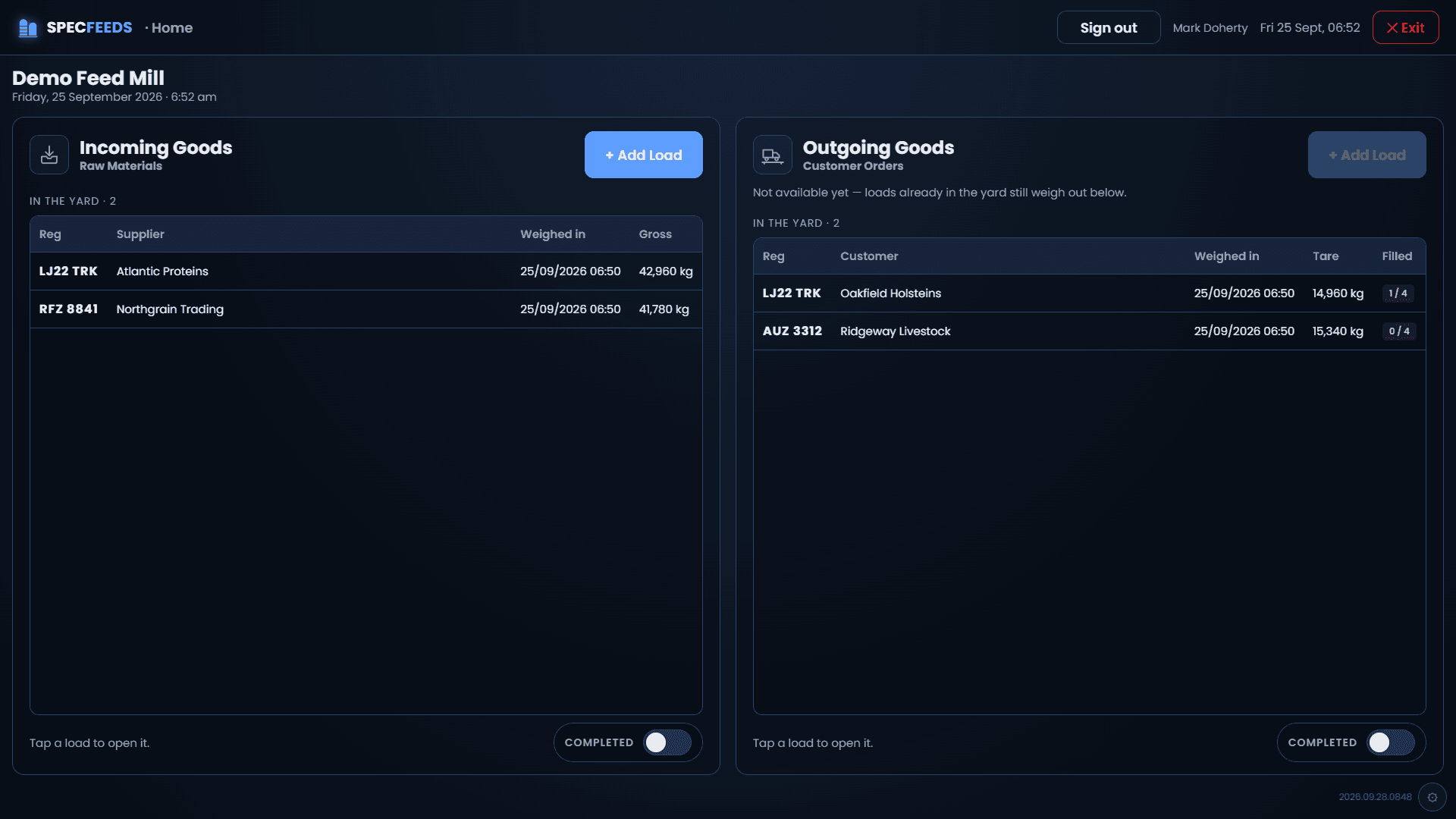
Every lorry on site, at a glance
The weighbridge screen splits the yard into incoming raw materials and outgoing customer loads. Tap a lorry to carry on where it left off.
- Weighed-in time, gross or tare, and how full each outgoing load is
- Completed loads one switch away
- Runs full-screen on a panel PC at the bridge
Watch a mix weigh itself.
This is the logic the production screen runs, here in your browser. SpecFeeds opens each bin's chute through a relay, watches the mixer scale, and shuts the chute early by the amount still falling, so the settled weight lands on target.
Target 620 kg · shuts at 575 kg · 52 kg/s
- Ready. Press Auto Weigh to start mix 1.
- 1Barley· Bin 1620 kg
- 2Maize· Bin 3380 kg
- 3Soya Hulls· Bin 4300 kg
- 4Rapeseed Meal· Bin 5260 kg
- 5Distillers Grains· Bin 6240 kg
- 6Molasses· By hand140 kg
- 7Cattle Mineral 20· By hand60 kg
On site the chute is a real relay and the scale a real indicator. Every settled weight is written to the mix as it lands, so a stopped mix picks up where it left off.
The office sees the mill as it runs.
SpecFeeds Admin is the desktop app for the people who plan, buy and sell. Everything the touch screens record appears here the moment it happens, with an audit trail on every weighbridge edit.
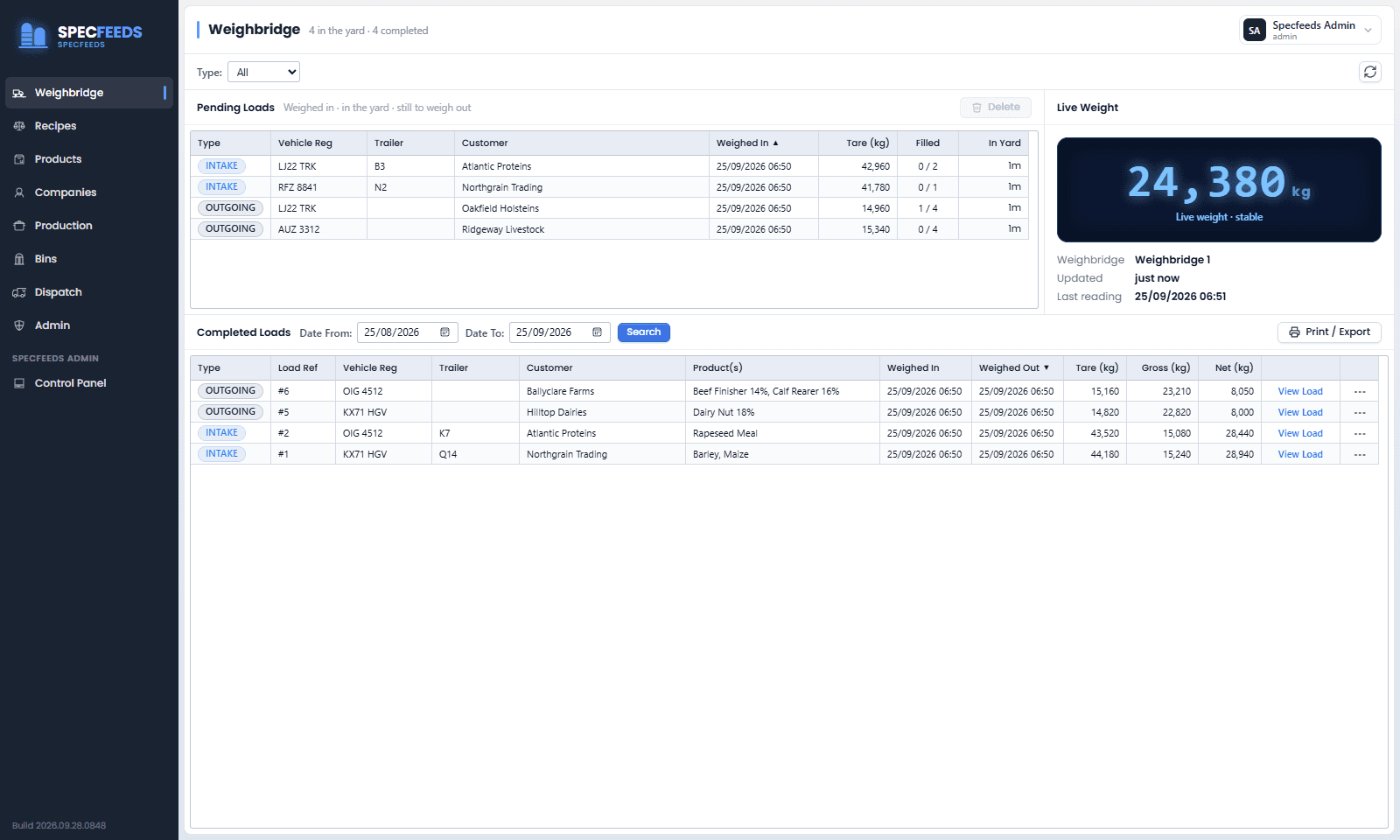
The live weight from the bridge, the loads in the yard, and every completed load with its net, ready to print a delivery docket or export.
Every kilo traced, forwards and back.
A complaint about a delivery leads back to the bin it came from, the batches in that bin, the mixes in those batches and the lorry that brought each raw material in. And from a suspect intake load forward to every customer who received feed made from it.
- Intake loadNorthgrain Trading · KX71 HGVBarley, batch 1 → bin 1
- Mix weighingBatch 2 · Beef Finisher 14% · mix 4Barley 624 kg from bin 1
- Product binBin 3 · Beef Finisher 14%15.98 t from batch 2
- Outgoing loadBallyclare Farms · OIG 4512Compartment 1 · 6,040 kg
Audit trail built in
Every change to a weighbridge load is recorded field by field, with who made it, from which PC, and why.
Works with your hardware
Reads the weighbridge indicator over serial or network and drives the mixer chutes through relays.
Updates itself
The screens load their software from your server, so a new release reaches every panel at its next refresh.
One screen, one job
Each panel PC is set to weighbridge, production or bin stock mode, with login on or off per screen.
Figures you can trust
Mix targets are fixed when a batch is planned, so progress and yields never shift under you.
Your data, your server
Runs on a server at the mill on SQL Server. Nothing depends on an internet connection to weigh a lorry.
Tell us what you need built.
Whether it is one of our products or a process that has outgrown its spreadsheet, start with a conversation. We will tell you straight if we are the right fit.
- A reply from a developer, not a sales team
- No obligation, no scripted discovery call
- Happy to visit site anywhere in the UK or Ireland
Prefer email
info@specdigital.com